Your author voice,
captured, reusable, re-injected.
A persona is everything that makes your style: Story Bible, glossary, voice samples, model preferences, reference docs. Attach it to a project — every chapter, every AI verb, every generation absorbs it.
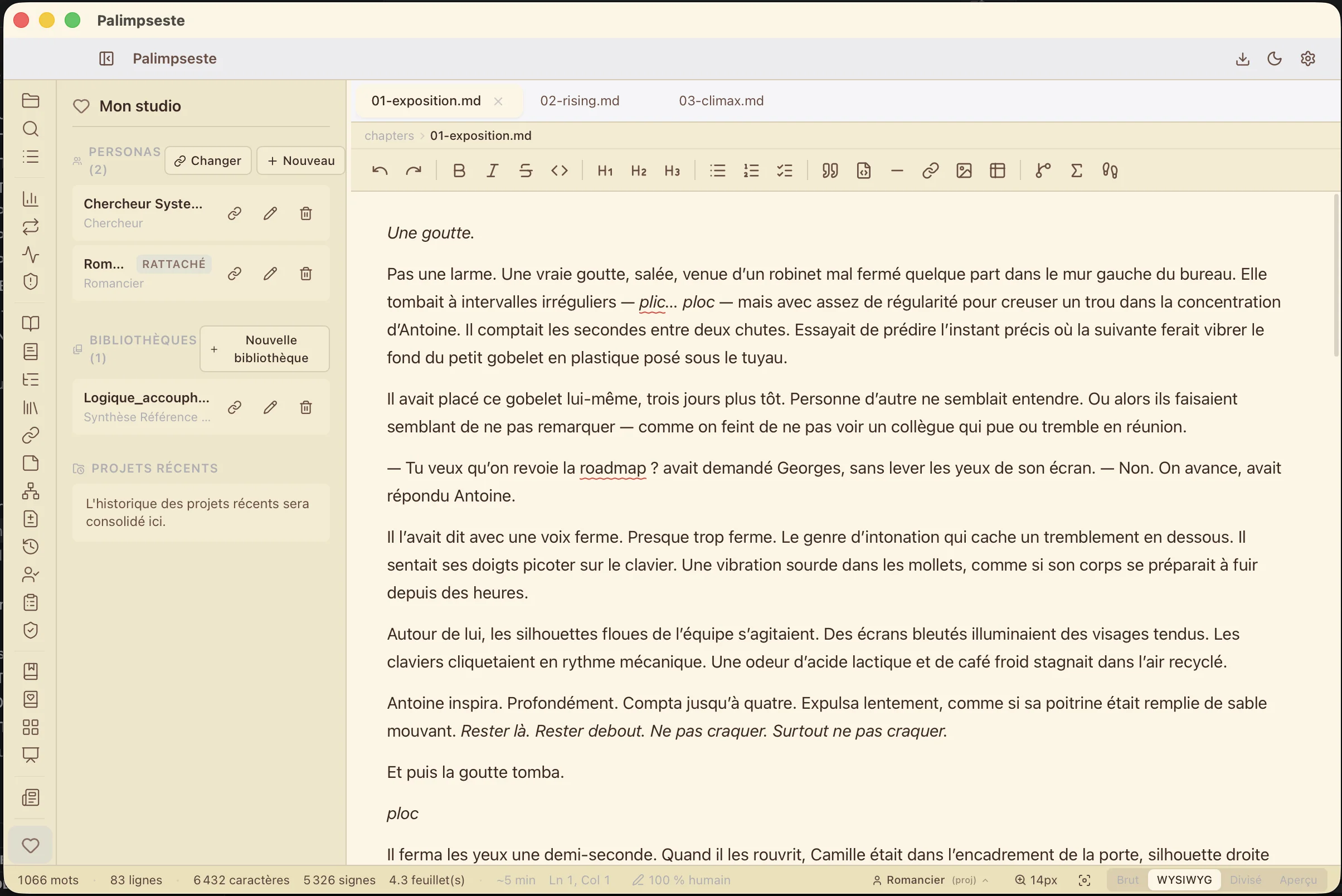
The problem: you type the same prompts 50 times
✗ Without persona
Every AI conversation starts from scratch. You re-type your tone, your characters, your technical vocabulary. The AI hallucinates names, forgets the tone register, mixes up your eras. You correct. And correct again.
✓ With persona attached
The persona is read automatically by every AI verb, every synopsis regen, every Story Engine. Your style guide enters the prompt. Your glossary enforces the right terms. Your voice samples anchor the tone. Your reference docs are semantically indexed.
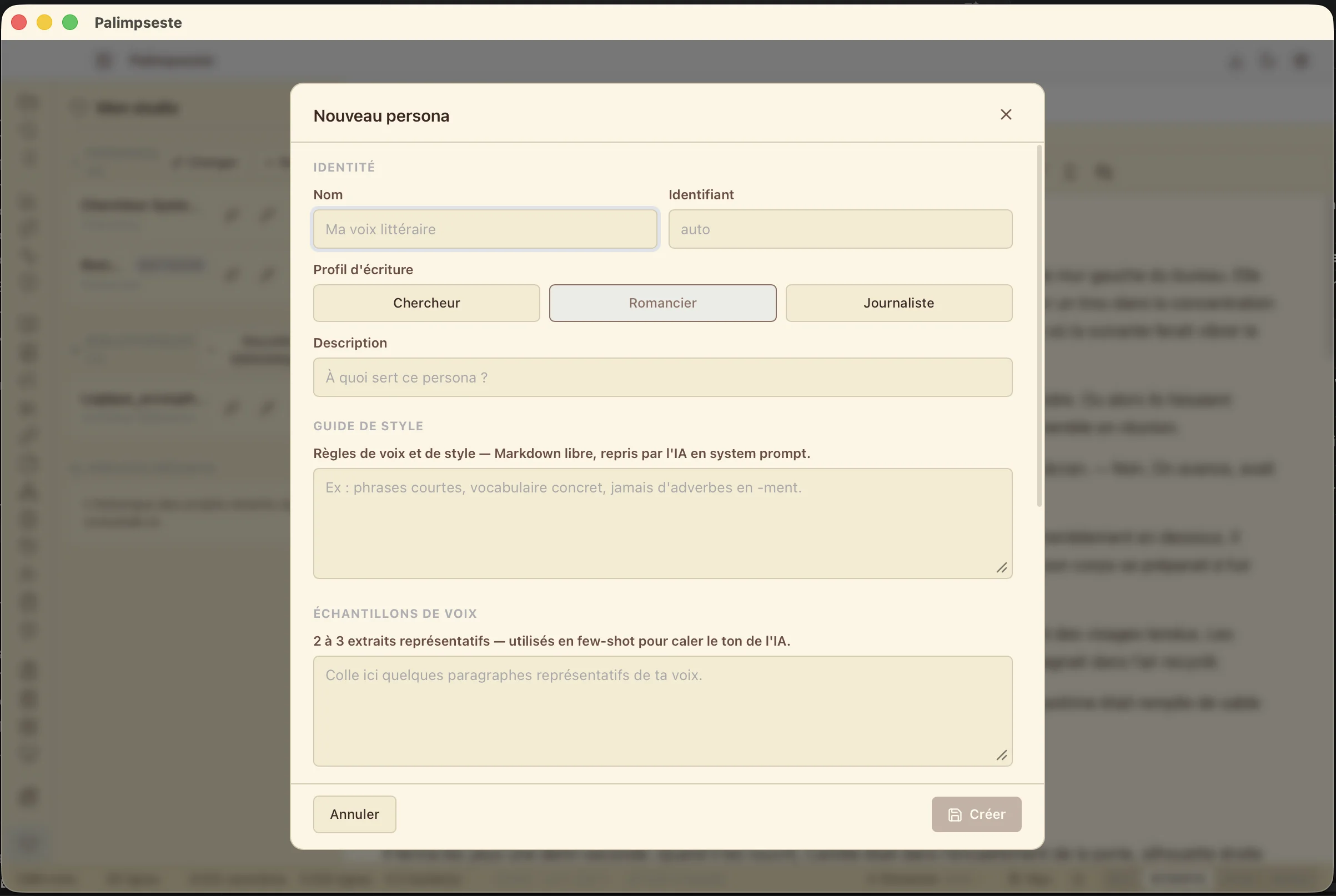
Anatomy of a persona
Seven fields. Each one plays a role in AI prompts. All editable, exportable, versionable.
Story Bible
Characters, locations, objects, factions. AI regens can't hallucinate a proper name you didn't list.
Voice samples
3 to 5 excerpts of your favorite prose. The LLM sees them before every generation and mimics the rhythm, short sentences, recurring metaphor.
Style Guide
Raw rules in markdown: "no adverbs in -ly", "first names only after chapter 3", "never a semicolon in dialogue". Appends to global rules — never silent override.
Glossary
Technical terms, invariable proper nouns, mandatory translations. Union with project glossary — each term appears once, source visible.
Model preferences
Default LLM (Claude Sonnet? Ollama qwen2.5? LM Studio Gemma?) and output language. Per-project override possible. Installation guide →
Reference docs
Your research notes, previous drafts, published articles. Indexed via local embeddings (fastembed-rs) — no cloud. Semantic RAG injects relevant passages into every prompt.
Where your persona lands in AI prompts
Five surfaces automatically consume the attached persona. You configure nothing.
AI chat
Style guide + glossary injected in system prompt. The chat knows your characters before you open your mouth.
5 AI verbs
Rewrite · Describe · Expand · Continue · Summarize. Each reads the persona — no off-style drift.
Bible / Plot / Synopsis regen
The 3 sparkle buttons of the novel sidebar read voice samples + glossary. The new version stays in your voice.
Story Engine
The chapter generator (v1.11.0) consumes 100% of the persona — including the reference-docs RAG.
See Story Engine →Project audit
The auditor flags divergences between your project and the attached persona (persona-missing, library-missing, style drift).
My Studio — your local persona library
All your personas live in a local folder, on your Mac, no cloud. Create as many as you want: one per project, one per genre, one per pen name. Versioned snapshots, JSON export/import.
Full CRUD
Create, duplicate, rename, delete. All from the "My Studio" menu (Cmd+Shift+P).
One-click attach
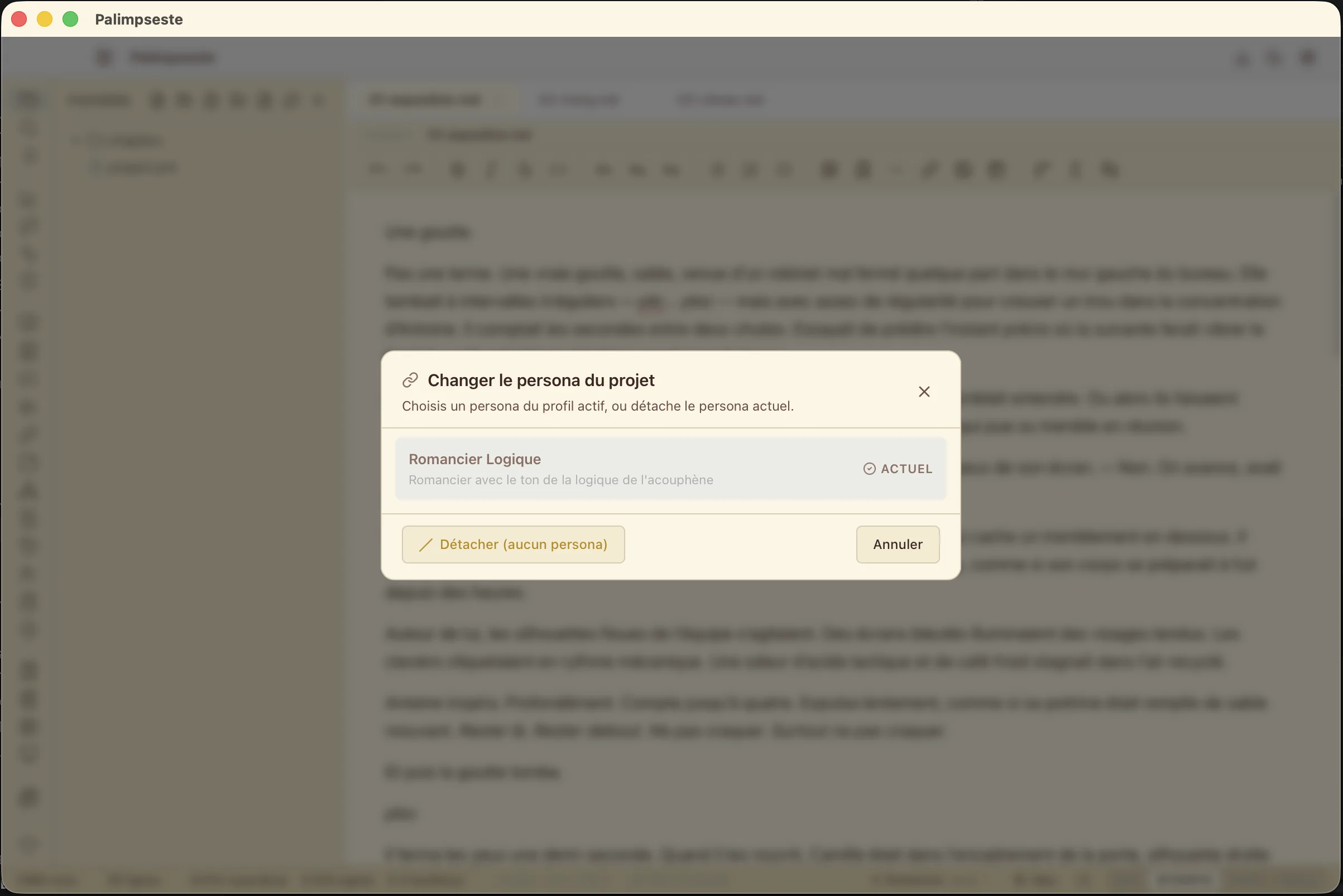
Pick a persona from the Project panel. It's immediately read by all AI surfaces.
Snapshot + drift detection
A frozen copy is stored in the project. If you modify the source persona later, Palimpseste offers to update — or to keep the frozen version.
Quick switch
Cmd+Shift+P → pick another persona. The modal lists all, with voice and style guide preview.
JSON export / import
Share a persona with your co-author, back it up to an external drive, version it in git if you want. Open, readable format.
3 work profiles
Novelist, researcher, journalist. Each profile activates suited vocabulary and surfaces (Story Bible for novelist, IMRAD for researcher, inverted pyramid for journalist).
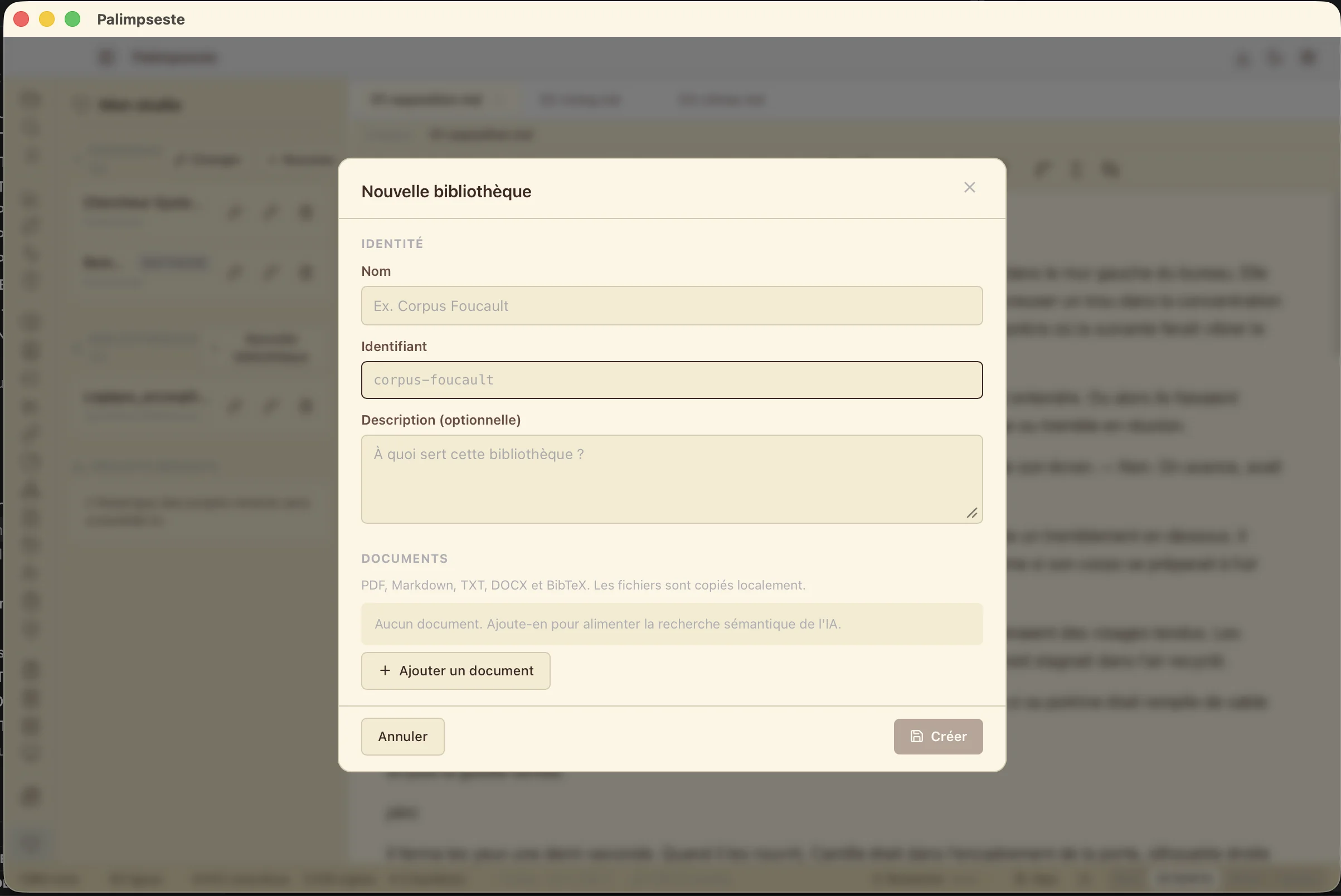
Reference Libraries — beyond the persona
A persona is your voice. A Reference Library is a corpus — your Le Monde archives, your astrophysics papers, your previous series, an external style manual. Attach several per project. RAG-indexed locally, in parallel.
User-scoped, cross-profile
A library lives at user level — not per profile. Your journalistic archives are available for a novel project if you want.
Multi-attach per project
Combine without limit: 1 persona + 3 libraries. Each is embedded and queried separately. No interference.
Like a persona, minus the voice
Style guide, glossary, documents — but no voice samples. A library doesn't override your style, it adds context.
New-project import
The new-project picker offers "From a library": start with a reference corpus pre-attached.
Your voice never leaves your disk
Embeddings computed locally via fastembed-rs (ONNX model downloaded once, ~480 MB). Vectors live in the project folder. Zero cloud calls for indexing. Zero unintended leak of your prose.
And if you turn on a cloud LLM (Anthropic / OpenAI)? Only relevant passages — pre-selected by the local RAG — are sent in the prompt. Not your entire corpus.
Capture your voice. Once and for all.
Create your personas and reference libraries freely, in every Palimpseste version; putting them to work in a project and through AI is part of the Pro plan. Download, create your first persona in 5 minutes.