Everything Palimpseste can do
One tool for academic rigor, literary creativity, and journalistic productivity — exclusively in open formats.
Editing
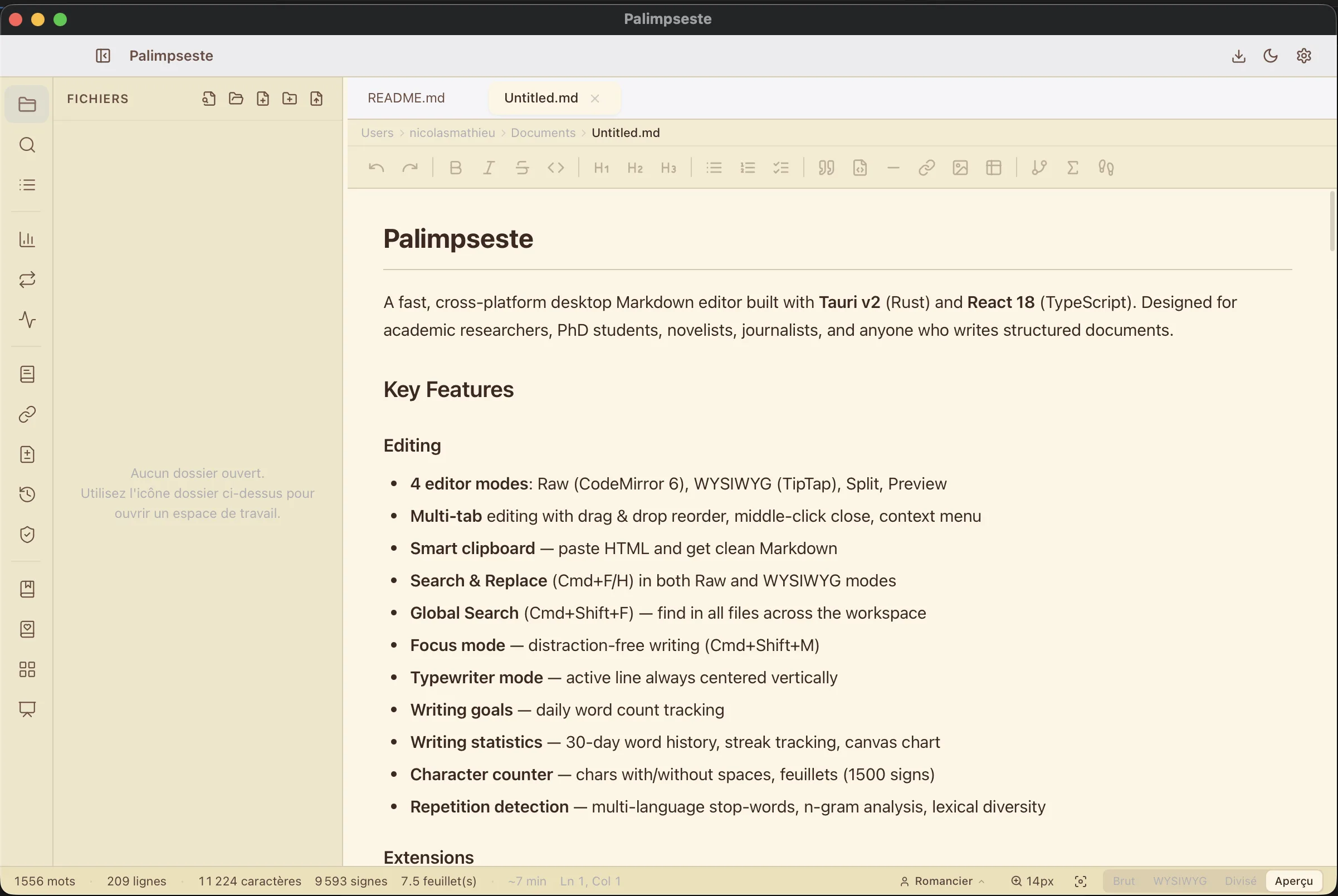
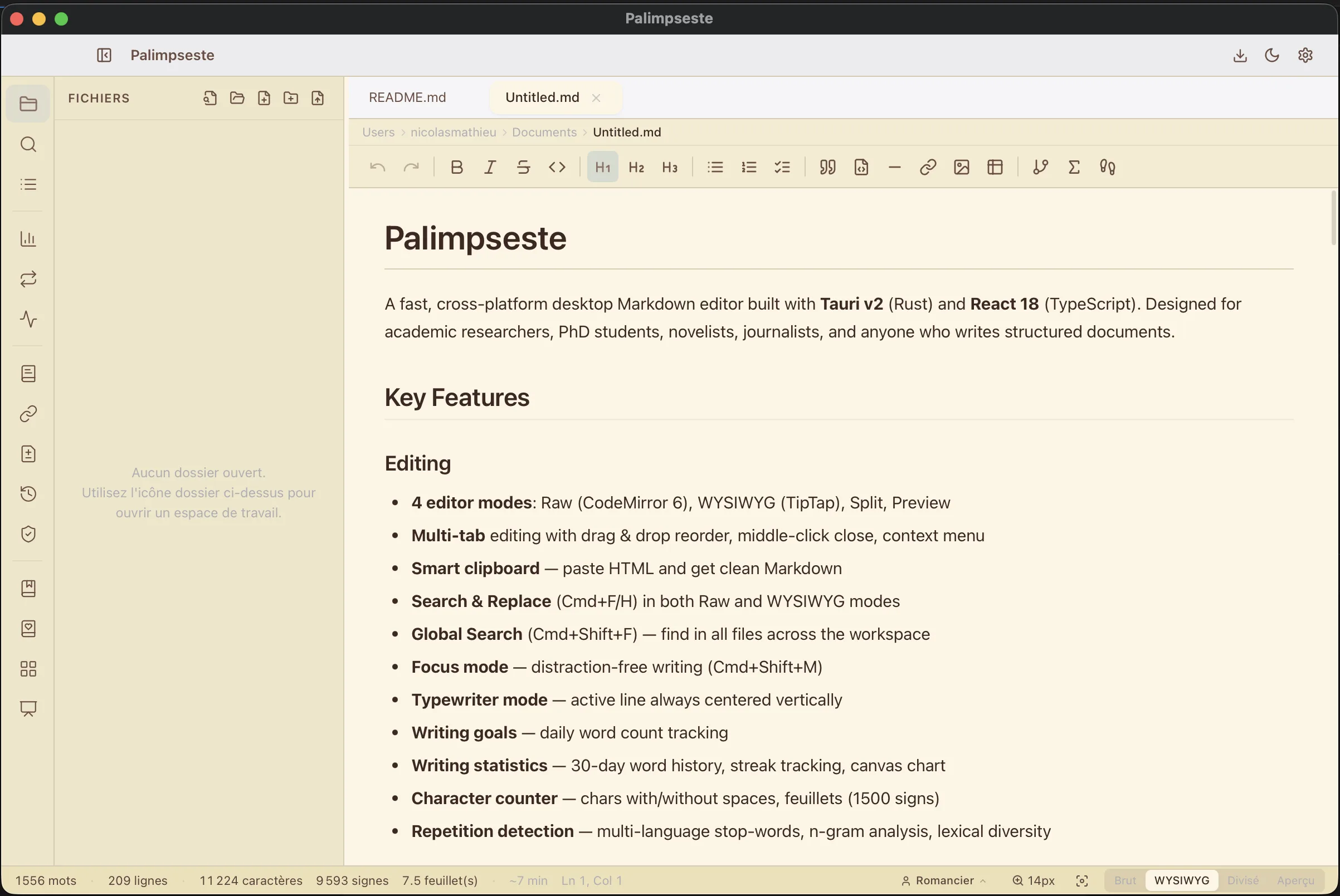
Four ways to write, zero compromise
Most editors impose a single paradigm. Palimpseste lets you choose the mode that fits each moment of your writing, on the same document, with instant sync.
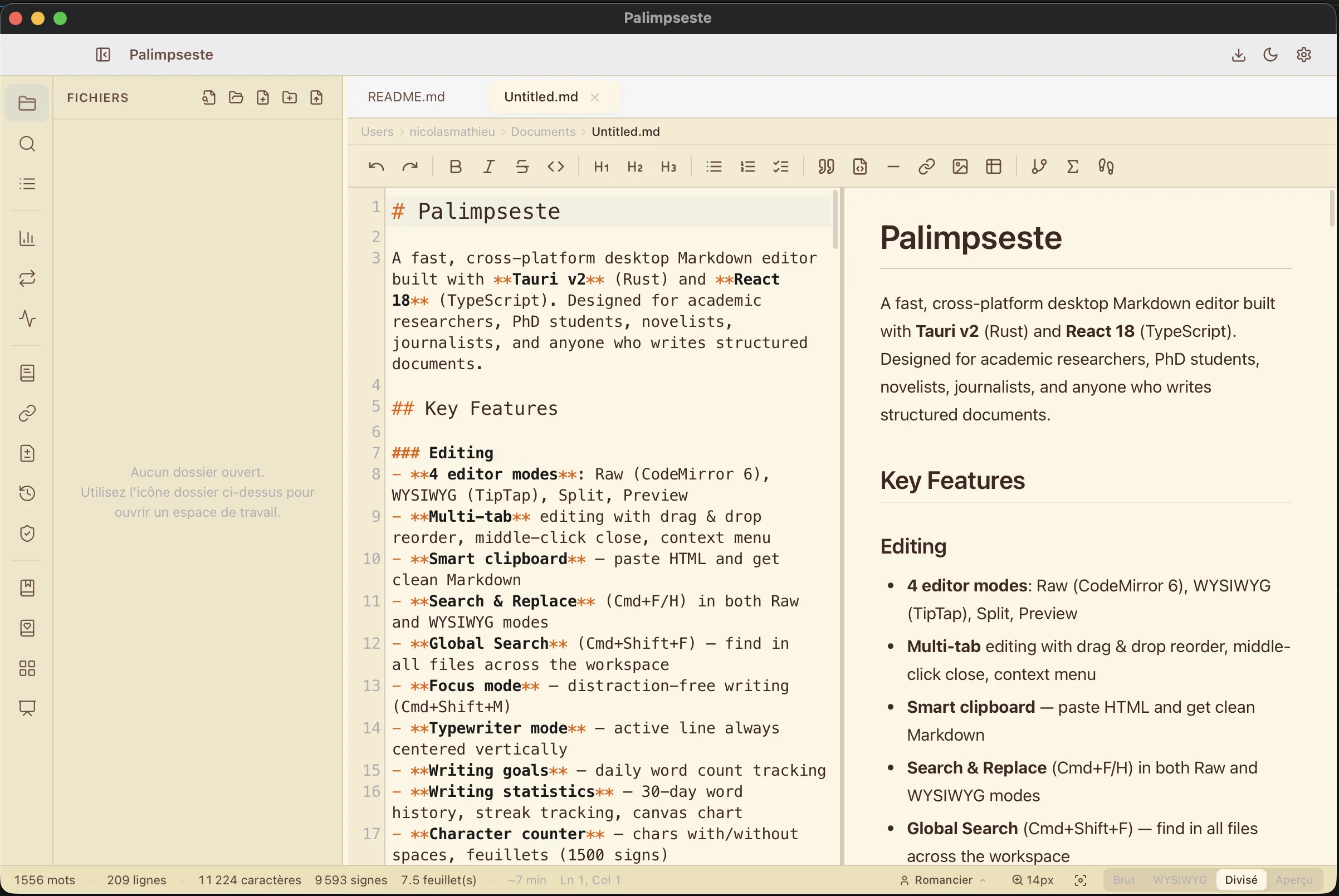
Raw Markdown
For those who think in syntax. Highlighting, completion, section folding.
- Real-time syntax highlighting
- Automatic light and dark theme
- Search and replace with regex
WYSIWYG Pro
Visual writing like a word processor, but with Markdown underneath.
- Full toolbar (bold, links, images, tables...)
- In-place editable tables
- Bidirectional sync with source Markdown
Split Pro
Best of both worlds: edit on the left, see the render on the right.
- Real-time sync
- Ideal for learning Markdown
Preview
Final rendering with professional academic themes.
- 5 themes: Default, APA, Chicago, IEEE, LaTeX
- Interactive table of contents
Multi-tab — drag and drop to reorder, middle-click to close
Focus and typewriter mode — distraction-free writing, centered scrolling
Global search Pro — search across all project files (⌘⇧F)
Command palette — 75+ commands, fuzzy search (⌘K)
Editor zoom — adjust text size (⌘+/⌘-)
Character counter — words, characters, pages, in the status bar
Markdown Extensions
Beyond text
A manuscript is more than words. Palimpseste natively integrates diagrams, math formulas, footnotes, and links between your ideas.
Mermaid Diagrams
Draw diagrams (flow, sequence, Gantt, architecture) directly in your Markdown.
Math Formulas
Write equations in LaTeX, rendered instantly. Inline or block.
Wiki-links & Backlinks
Zettelkasten
Bidirectional [[like Obsidian]] links with backlinks panel and concept graph.
CriticMarkup
UniqueBuilt-in review annotations: additions, deletions, substitutions, comments, and highlights.
Document Import Pro
Your existing documents become Palimpseste projects
You already have a manuscript in Word, an article in HTML, or notes in RTF. Import them in one click. Palimpseste auto-detects chapters, suggests the appropriate profile, and can bootstrap your story bible or bibliography via AI — without ever touching the original file.
Supported Formats
DOCX, HTML, RTF, Markdown, plain text. Native JavaScript conversion — no external dependencies, works entirely offline.
Chapter Detection
Palimpseste analyzes document structure (headings, levels, length) and proposes an editable chapter breakdown before importing.
Profile Suggestion
UniqueThe heuristic reads vocabulary and structure to determine whether your document is an academic essay, a novel, or a news piece — and configures the workspace accordingly.
AI Bootstrap
After import, the AI can automatically generate the story bible (characters, locations), bibliography, or thesis structure — by chaining the existing regeneration operations.
A migration assistant, not a format translator
Palimpseste's import doesn't just convert. It walks you through a four-step wizard — file selection, chapter preview and editing, progress, confirmation — and creates the project atomically: if anything goes wrong, no files are left half-created.
Portable .palimpack packs
A complete working environment — personas, reference libraries, project template — fits in a single file. A consulting firm prepares its pack once; every team member installs it in two clicks and creates a ready-to-work project, persona and libraries attached automatically. Content is previewed before install, and nothing is ever half-installed.
Researcher Profile Pro
From the first note to the defense
You're writing your thesis. Chapter 3, methodology section. You insert a Zotero citation with a keyboard shortcut. The AI rephrases an overly dense paragraph. The compliance panel checks that you meet your university's standards. Your supervisor annotates the manuscript in CriticMarkup. Everything is here, in one place.
Zotero Citations
Connect your Zotero library. Insert and format citations in 5 bibliographic styles (APA, Chicago, MLA, IEEE, Harvard).
Thesis Project
UniqueStructure your thesis by chapter with a global table of contents, unified compilation, and generated cover page.
University Compliance
UniqueAutomatic standards checking: margins, font, line spacing, pagination. Profiles for Paris 1, EHESS, Lyon 2, and more.
Supervisor Review
Your supervisor annotates in CriticMarkup. You see word-level changes and accept or reject them one by one.
Semantic versioning — name your versions, compare word-by-word, visualize evolution
Field notebook — geolocated notes with metadata (date, location, weather, participants)
Thematic index — organize concepts with a structured index and cross-references
Similarity detection — identify passages too close to your sources
Novelist Profile Pro
From idea to manuscript
Your novel takes shape. You open the story bible to check the eye color of your secondary character. You move a scene on the corkboard. The timeline reminds you that an event in chapter 7 contradicts chapter 3. The word counter tells you you've reached your daily goal.
Story Bible
Character, location, and object cards. Automatic proper name detection in your text. Quick search and reference.
Corkboard
Your scenes are cards. Drag and drop them to restructure your narrative in an instant.
Timeline
Visualize your story's chronology. Spot timeline inconsistencies at a glance.
Plot Threads
UniqueThread × chapter matrix. Track the progress of each plot through your novel.
Narrative Templates
20 classic structures — Hero's Journey, Save the Cat, kishōtenketsu, three-act — injected into your timeline in one click, beat by beat.
Multi-volume Series
UniqueSeveral volumes under one roof, a shared Bible with volume precedence, and continuity checks — a character who died in volume 1 won't reappear in volume 3 without you knowing.
Word goals — per chapter and daily, with writing streak tracking
Chapter synopsis — summary, status (draft / revision / final), progress
Manuscript export — publisher format, Courier 12pt, double spacing, pagination
Writing statistics — 30-day chart, words/day, current streak
Journalist Profile Pro
From the field to publication
Your feature story is coming together. You choose the "feature" template that automatically structures your article. Your sources are classified by confidentiality level. The deadline panel reminds you that the closing is in three hours. The AP Style compliance checker ensures your quotes are properly attributed.
Article Templates
5 professional templates: brief, interview, feature, portrait, editorial. The structure is ready, you just write.
Deadline Tracking
Color-coded urgency (overdue / urgent / upcoming / comfortable). Never miss a closing again.
Source Management
Unique3 confidentiality levels: on the record, off the record, background. Protect your sources.
Editorial Compliance
AP Style, Le Monde, AFP Wire profiles. Automatic rule checking: attributions, objectivity, structure.
Privacy
Label identities, in one file
Palimpseste can detect locally names, places and organisations in the open file, and suggest labels. It is an assistant for one file — not a folder, not a restore after rewriting, not a compliance claim. The gateway (send a corpus out, bring it back) is a sister product: Palimpseste Pseudo.
Automatic detection (NER)
Local named-entity recognition detects people, places and organisations — no word list to maintain.
Assisted, not automatic
You approve every substitution. A missed name remains possible. The review is yours.
Stable labels in the file
The same entity gets the same label throughout the file. One file, not a corpus.
On your machine
Detection runs on your disk. With a local AI model, the text stays on the machine. This is not a compliance certificate.
Artificial Intelligence Pro
An assistant that respects your voice
Palimpseste's AI doesn't write for you. It knows your document, your project, and your style guide. It suggests, you decide. And if you prefer writing alone, it never intrudes.
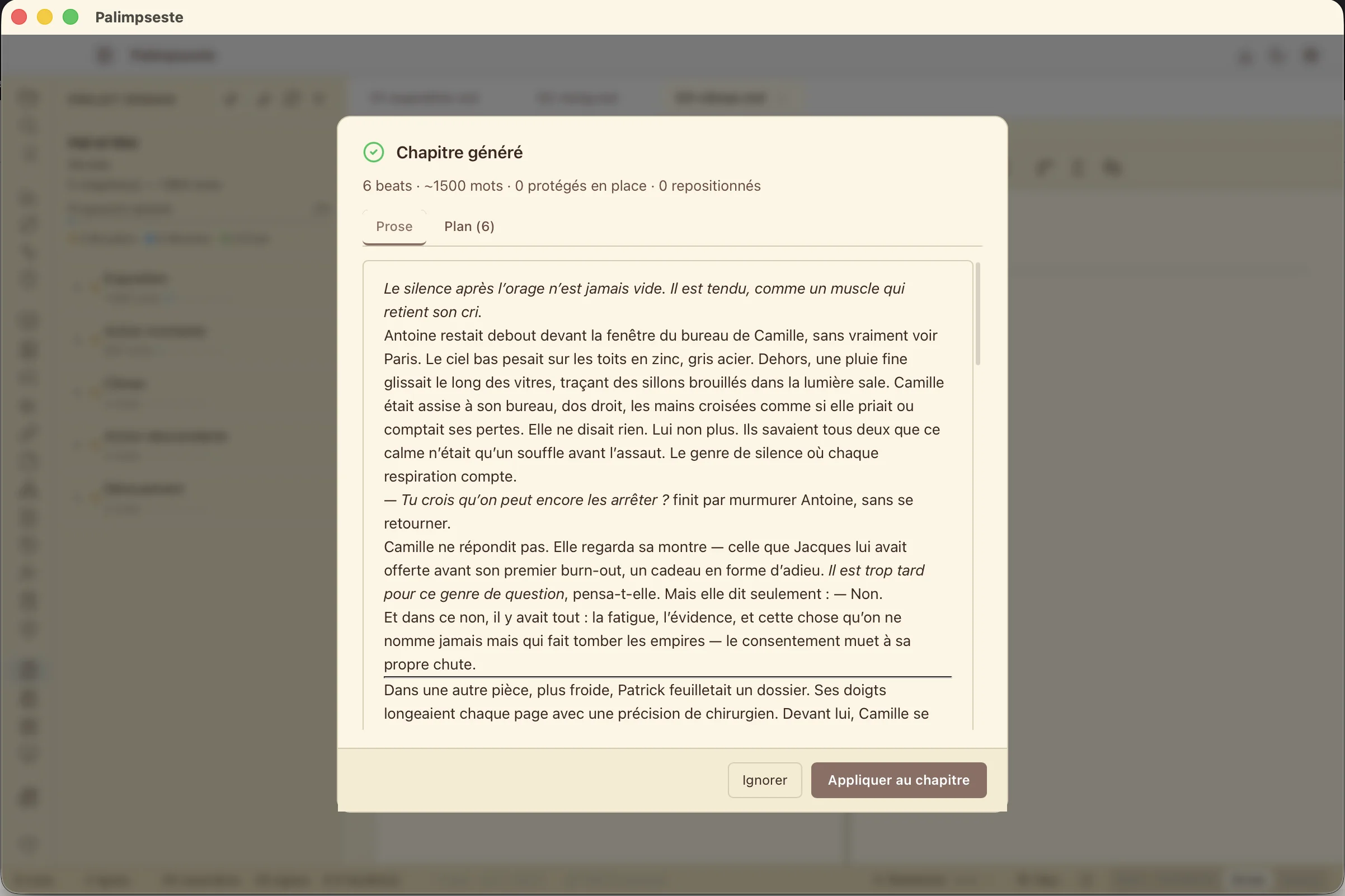
Story Engine — two-pass chapter generation
New v1.11
The full-chapter generator: Pass 1 produces a beat-by-beat plan from your Story Bible and plot threads; Pass 2 writes 1500 words of markdown prose in your voice. Preserves <!-- locked --> blocks and section anchors. Cloud (Claude, GPT) or 100% local (Ollama, LM Studio). In 5 languages, across 3 work profiles.
→ See Story Engine page
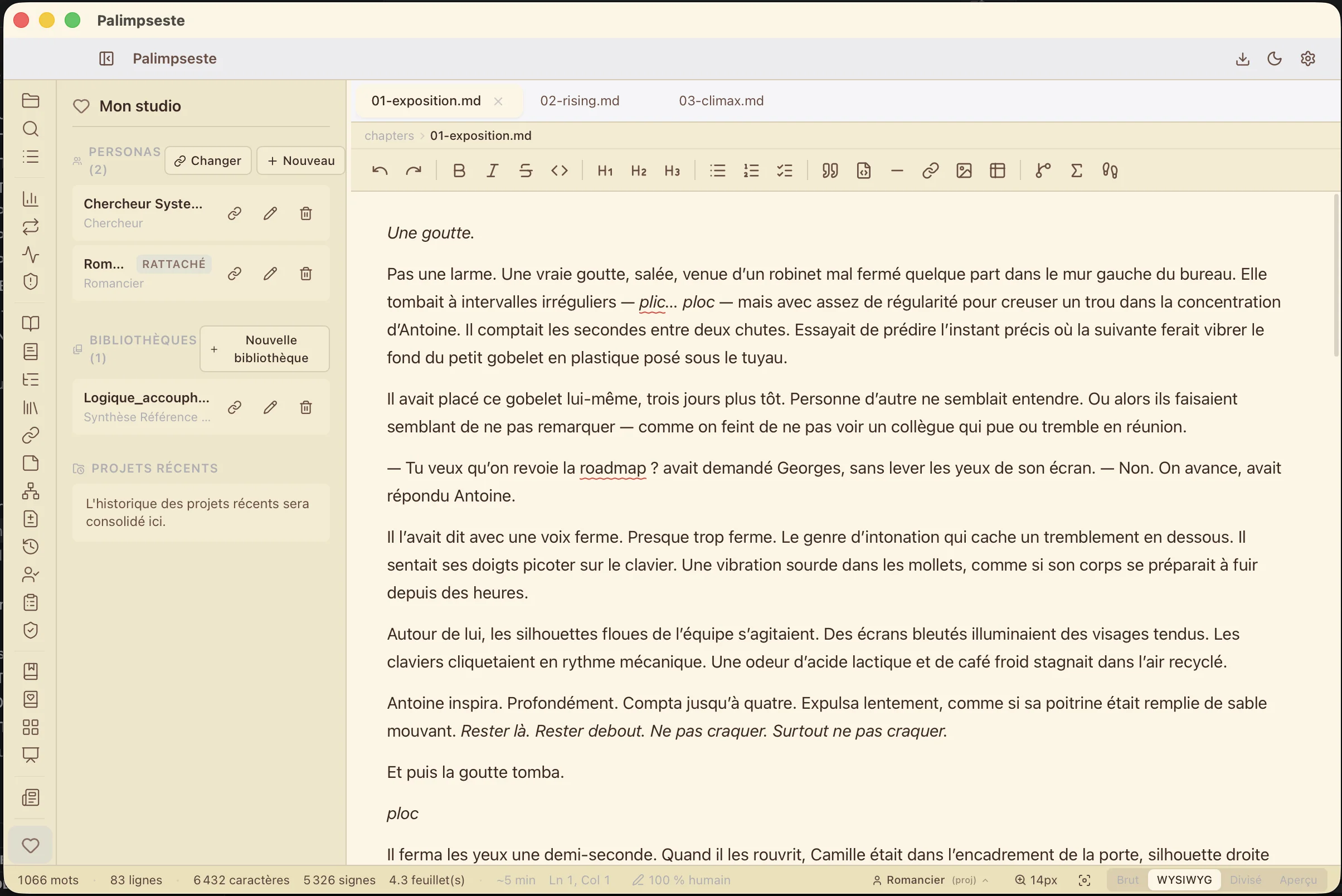
Personas — author voice memory
UniqueCapture your style once: Story Bible, glossary, voice samples, reference docs, model preferences. My Studio stores your personas locally (one per project, genre, or pen name). Every AI verb, every regen, every Story Engine reads the attached persona and stays in your voice. Automatic drift detection between source and frozen project copy. → See Personas page
Cross-project Reference Libraries
UniqueBuild reference libraries (an article corpus, your previous series, an external style manual). Attach several per project. Each is semantically indexed locally — relevant passages flow automatically into every generation's context.
100% local semantic RAG
Embeddings computed with fastembed-rs (ONNX model downloaded once, ~480 MB). Vectors live in the project folder. Zero cloud calls for indexing. Your personal archives, notes, previous drafts — all semantically queried without ever leaving your disk.
Resilient AI chain (MoE)
Local MoE models sometimes fail on structured output. Palimpseste tries 4 strategies in cascade: native → cooldown → channel-stripped → silent cloud fallback (opt-in). You configure nothing — the app detects and repairs at runtime, no model list to maintain.
Model Choice
Claude (Anthropic), GPT (OpenAI), or a local model on your machine (Ollama, LM Studio). Your keys stay in the macOS secure keychain. Tested local models for demanding operations: Phi-4 14B, Qwen 2.5 14B, Gemma 3 27B, Mistral Small 3.1, Llama 3.3 70B. → Installation guide
In-place AI Verbs
Select a passage, right-click or Cmd+K, and pick: Rewrite, Continue, Expand, Describe, Summarize. The change applies directly with preview and approval. Five verbs, each with presets, adapted to your professional profile (novelist, journalist, researcher).
Output Language Respected
Palimpseste auto-detects your project's language (French, English, German, Spanish, Italian) and explicitly enforces it at the top of every AI prompt. Your local model no longer drifts to English against your wishes.
Context via @mentions
Mention @chapter, @project, or @selection to give context. The assistant understands what you're talking about.
AI Authorship Tracking
UniqueEvery AI-generated passage is subtly marked in the Markdown source (standard HTML comments — portable, visible in git diff). The status bar shows in real time "100% human" or " 12% AI" based on your generation share. On export, markers are stripped automatically.
Memory & Style Guide
UniqueThe assistant remembers your preferences across sessions. Your personal style guide prevents it from betraying your tone.
Academic Operations
Rephrasing, transition improvement, summary, bibliography check, cross-chapter coherence analysis.
File Actions
The assistant can create, modify, or append to files in your project. You preview the proposed content and confirm before any write. Nothing changes without your approval.
One-click Save
Every assistant reply saves into a project file: replace, append, or create. Structured content suggests its own destination — no more copy-paste.
Guided Generation
For structured chapter-by-chapter reports: Palimpseste detects the next chapter to produce and pre-fills the request. You stay in control — never auto-submitted.
Writing Quality Pro
Your first proofreader, always available
Before even handing your text to a human proofreader, Palimpseste identifies weaknesses: overly long sentences, repetitions, language tics, poor readability. Not to censor you, but to sharpen your pen.
Spellcheck in 5 languages — fully offline
Palimpseste ships its own spellcheck engine (nspell + Hunspell dictionaries) for French, English, German, Spanish, and Italian. Underlines appear in both editing modes. Right-click for suggestions and add words to your personal dictionary — synced across sessions, never sent to a server.
Readability
Flesch-Kincaid score, per-section analysis, average sentence length. See the reading difficulty of each part.
Repetition Detection
Recurring words, word groups, and expressions. Measured lexical diversity. Common words are automatically ignored.
Cross-Chapter Duplicate Passages
UniqueDetects passages too similar across chapters using n-grams (≥ 8 words). Automatic match extension, gradual severity. Distinct from external plagiarism detection — here, your own text is repeating itself without you noticing.
Language Tics
UniqueDetect words you use too often compared to the norm. Severity thresholds to identify your unconscious habits.
AI Style Heuristics
UniqueHonest signals — never a probability gauge. Palimpseste detects stylistic markers characteristic of AI-assisted writing: connector overload, list cascades, low sentence-length variance, excessive lexical density. In 5 languages.
Style Dictionary
Create your own dictionary of words to avoid or prefer. Built-in suggestions in French and English.
Export & Interface
From draft to publication
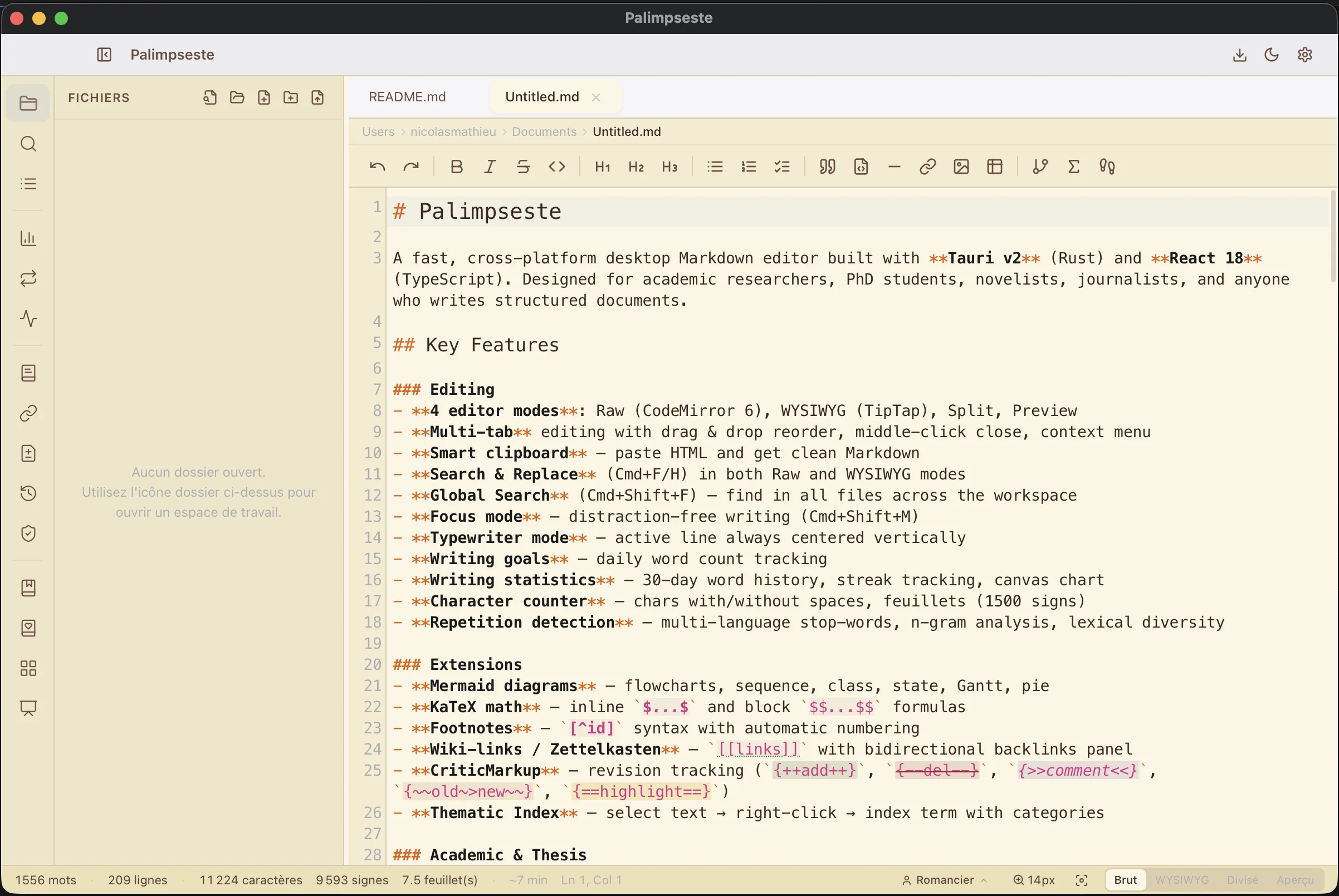
12+ Export Formats (5 free + 7 Pro)
Free: Markdown, HTML, text, CSV, JSON. Pro: PDF, DOCX, LaTeX, EPUB, JATS XML, manuscript, presentation. Cover page, 5 themes, submission templates.
Native macOS Interface
Inspired by Pages and Safari. Native menu bar, macOS shortcuts, light and dark theme. 3 visual moods per profile (sepia, typewriter, newsroom).
Presentation Mode
Turn your Markdown into slides. 4 themes. Ideal for seminars and defenses.
Exclusively Open Formats
All your files — texts, novel metadata, story bible, field notes — are standard .md, .yml, or .json files. Readable by any tool, Git-versionable, never locked into a proprietary format.
Built-in help — dozens of topics in 5 languages, accessible without leaving the app
Onboarding tutorial — 6-step guided tour for new users
5 languages — French, English, German, Spanish, Italian
Smart clipboard — automatically pastes HTML as Markdown
Frequently asked
Common questions answered
Does Palimpseste work without an internet connection?
Yes. The editor, spellchecker (5 languages), all modes (Raw / Preview / Split / WYSIWYG), export to Markdown/HTML/PDF/LaTeX/EPUB/DOCX, Story Bible, plot threads, corkboard and timeline all work fully offline. For AI, you choose: a local model via Ollama or LM Studio (100% offline) or a cloud model (Anthropic, OpenAI) which requires a connection.
Which AI models are supported?
Cloud: Anthropic Claude (Sonnet 4.6+, Opus, Haiku), OpenAI GPT (GPT-4.1, GPT-4o, o3, o4) — you provide your own API key, no middleman markup. Local via Ollama: Qwen 2.5 32B (recommended), Gemma 3 27B, Llama 3.3 70B, Mistral Small 3, Phi-4 14B. Local via LM Studio: any OpenAI-compatible model. You can switch models at any time from settings.
Will my files remain accessible if I stop my subscription?
Yes, with no loss whatsoever. All your files are in standard open formats: Markdown (.md) for text, YAML (.yml) for project structure, JSON for structured data (Story Bible, plot threads, snapshots). You can reopen them in any editor (Obsidian, VS Code, Sublime, Vim…) or version them under Git. No dependency on Palimpseste to consult them in ten years.
Does Story Engine replace human writing?
No. Story Engine produces a draft that you review, rework, and make your own. The system automatically marks AI-generated passages in the source file (via standard HTML comments) and shows the AI percentage in your text in real time. Locked blocks (<!-- locked -->) are preserved verbatim. On export, you choose whether to keep or strip the AI authorship marks.
Can I import an existing project from Scrivener, Word, or Notion?
Yes for DOCX, HTML and RTF (built-in native JavaScript converters). For Scrivener, export your project to DOCX or Markdown from Scrivener, then import into Palimpseste — the import wizard automatically detects chapters and suggests a suitable work profile. For Notion, export to Markdown. Pandoc is fully optional and only required for some non-standard formats (PDF-via-LaTeX, ODT).
Is there an iPad version or mobile usage?
Not yet. Palimpseste is a native desktop application for macOS, Windows and Linux. For mobile work, you can sync your project folder via iCloud, Dropbox, Syncthing or a Git repo — files are in open Markdown, readable by any mobile Markdown editor (1Writer, iA Writer, Obsidian Mobile…). The desktop app picks up where you left off.
How does Palimpseste back up my files?
Your files (.md, .yml, .json) stay on your disk, in the clear — and the application defends them in depth: backup versions are on by default (a dated copy of your open files every 5 minutes), every deletion goes through the system trash after confirmation, a .bak snapshot is created before every destructive operation (AI regen, Story Engine, import), and open files are watched against external overwrites (Git, iCloud). These protections live inside your project: they cover accidents, not disk loss — an external backup remains recommended (Time Machine, Windows File History, iCloud Drive, Dropbox, Syncthing or a Git repository, to which your Markdown/YAML/JSON formats are particularly well suited).
Your next text starts here.
Permanent free plan. Pro features from €6.99/month.